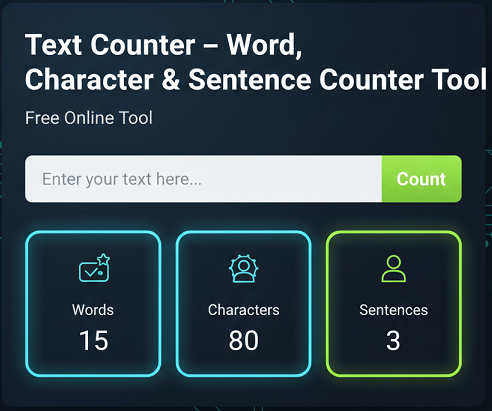
Text Counter – Word, Character & Sentence Counter Tool
- Home
- Text Counter – Word, Character & Sentence Counter Tool
Text Counter Tool
Our free Text Counter helps you instantly calculate word count, character count (with and without spaces), and sentence count in seconds.
Perfect for writers, students, SEO professionals, and marketers who need accurate text length analysis for optimized content.
text counter,charactor,charactor with no space,words,sentense
Introduction
Whether you are writing a blog post, academic essay, product description, or social media caption, understanding your text length is essential. Word limits, character restrictions, and readability standards all play a role in how your content performs. Our Text Counter tool provides a fast and reliable way to measure words, characters, characters without spaces, and sentences in real time.
This tool is designed for accuracy, simplicity, and efficiency. Instead of manually estimating content length, you can paste your text and instantly see detailed statistics that help you write with precision and confidence.
What Is This Tool?
The Text Counter is an online writing utility that calculates:
- Total word count
- Total character count (including spaces)
- Total character count (excluding spaces)
- Total number of sentences
It works directly in your browser and provides instant feedback as you type or paste content. This makes it ideal for SEO writing, academic work, advertising copy, and professional communication.
How the Tool Works
The tool analyzes your text using structured counting logic:
- Words are separated by spaces and punctuation.
- Characters include every letter, number, symbol, and space.
- Characters without spaces exclude blank spaces for stricter limits.
- Sentences are identified using punctuation such as periods, question marks, and exclamation marks.
All calculations happen instantly without storing your content, ensuring privacy and speed.
Key Features
- Real-time word count updates
- Character count with spaces
- Character count without spaces
- Accurate sentence counter
- Simple and distraction-free interface
- Mobile and desktop responsive design
- No registration required
- Free to use
Why Use This Tool?
Many platforms enforce strict content limits. Search engines prefer well-structured content. Academic institutions require specific word ranges. Social platforms restrict character length. Without a reliable counter, you risk underwriting or exceeding limits.
This tool eliminates guesswork and helps you maintain professional standards in every piece of writing.
Step-by-Step Usage Guide
- Open the Text Counter tool page.
- Type or paste your content into the text box.
- View real-time word, character, and sentence counts.
- Edit your content as needed to meet required limits.
- Copy the optimized text for publishing.
Benefits for SEO and Marketing
Content length directly affects search engine visibility. Longer, well-structured articles often perform better when they provide genuine value. By tracking word count and sentence structure, you can improve readability and keyword distribution.
For meta descriptions and titles, character limits are critical. A character counter ensures your metadata fits within recommended search engine display limits, preventing truncation.
Use Cases
Bloggers
Ensure blog posts meet SEO-friendly word counts and maintain consistent structure.
SEO Experts
Optimize content length for ranking potential and snippet display.
Agencies
Deliver client content that meets platform and campaign requirements.
Developers
Validate text input limits for forms, applications, and CMS platforms.
Frequently Asked Questions
How do I count words in my text?
Paste or type your text into the tool. The word count updates automatically and shows the total number of words in real time.
What is the difference between characters with and without spaces?
Characters with spaces include blank spaces between words. Characters without spaces exclude them, which is useful for strict platform limits.
Why is word count important for SEO?
Word count helps ensure your content is detailed enough to cover topics comprehensively while maintaining readability and structure.
Can I use this tool for academic writing?
Yes, students can use the tool to meet essay and assignment word limits accurately.
Does the tool store my text?
No, the tool processes text in your browser and does not store or save your content.
Is this word counter free?
Yes, the tool is completely free to use without registration.
How accurate is the sentence counter?
The tool identifies sentences based on standard punctuation marks, providing reliable estimates for most writing formats.
Can I check social media character limits?
Yes, use the character counter to ensure your posts fit within platform limits.
Is this tool mobile-friendly?
Yes, it works on smartphones, tablets, and desktop devices.
Who should use this text counter?
Writers, marketers, students, developers, and SEO professionals can benefit from accurate text measurement.
Conclusion
The Text Counter tool provides an essential service for anyone who works with written content. By accurately counting words, characters, characters without spaces, and sentences, it helps you stay within limits, improve SEO performance, and maintain professional writing standards. Use it alongside other SEO tools on our website for a complete content optimization workflow.
Related Tools
- AI Image Background Removal – Powerful Reasons Why You Should Stop Paying for Background Remover Tools
- All Email & Phone Extractor from any URL – Extract Contacts Easily
- All Email Extractor from Any URL – Free Online Tool
- Base64 & URL Encode/Decode Tool – Free Online Converter
- Check If URL Is Allowed in Google Search Results
- Disclaimer
- Domain Expiry Checker – Check Domain Expiration Date
- Domain Name Extractor in Paragraph, Text, URL | SEO Tool
- Free AI Image Background Removal Tool Online
- Free AI Text to Speech Tool
- Free Color Picker & Gradient Generator Tool Online
- Get Meta Data Information of Any Website Online
- Google Index Checker – Check Website Index Status
- Google Review Link Generator – Create Direct Review URLs
- Image Editor That Actually Works – Crop, Text, Filters & Stickers
- Image Resizer Tool – Resize Images Online for Free
- Interactive Anchor Text & Hyperlink Generator Tool
- JSON Formatter, Validator & Minifier Tool Online
- Keyword Difficulty Checker Pro Tool - Analyze & Improve SEO Rankings
- Keyword Rank Checker Tool - Track Your SEO Rankings Accurately
- Live Canonical Checker AI Tool – Check Canonical Tag in head
- Open Graph & Twitter Card Tags Checker Tool Online
- Page Score, HTML Tag & Scheme Analysis
- Photo Censor Tool | Pixelate Images Easily
- Privacy Policy
- Remove Line Breaks & Extra Spaces Tool Online
- Schema Markup Generator Shortcode - Full Version | SEO Tool
- Secure Password Generator Tool – Create Strong Passwords
- SEO Title & Meta Description Tester | SERP Preview Tool
- Snow Calculator Expectation – Snowfall Forecast Tool
- Speak to Text & Text to Speech – Free AI Voice Over Generator with Download (No Signup)
- Terms and Conditions
- Text Case Converter Tool – Change Uppercase & Lowercase
- Text Counter – Word, Character & Sentence Counter Tool
- URL Link Extractor & Hyperlink Counter Tool Online
- URL Shortener – Create Clean, Trackable Short Links
- Website Header Response Checker – HTTP Status Tool
- XML & HTML Sitemap Generator – Free Download Tool
- YouTube Video Details & Thumbnail Downloader Tool
Read Our Latest Insights
We help you see the world differently, discover opportunities you may never have imagined and achieve results that bridge what is with what can be.