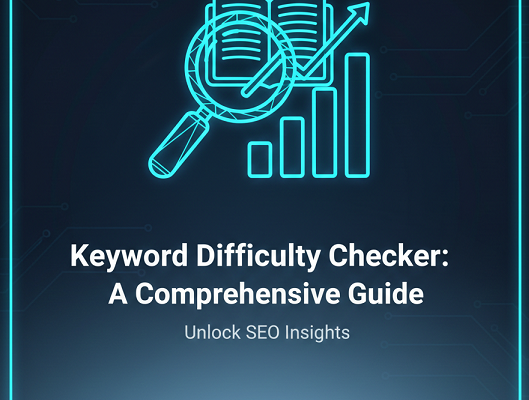
SEO Title & Meta Description Tester | SERP Preview Tool
- Home
- SEO Title & Meta Description Tester | SERP Preview Tool
- Title ideal length: ~50–60 characters (varies by pixel width).
- Description ideal length: ~120–160 characters (2 lines).
- Use keywords naturally and add a call-to-action.
SEO Title & Meta Description Tester / SERP Preview
Introduction
Your SEO title and meta description are the first things users see in search results. Even if your content ranks well, a poorly optimized snippet can reduce your click-through rate and limit traffic growth. This is why testing and previewing your title tag and meta description before publishing is essential.
The SEO Title & Meta Description Tester allows you to simulate how your page will appear in search engine results pages (SERPs). By checking character limits, pixel width, and readability, you can ensure your snippet looks professional and compelling.
What Is This Tool?
The SEO Title & Meta Description Tester is a web-based SERP preview tool designed to analyze and visualize your title tag and meta description. It helps you optimize snippet length, structure, and clarity so your pages stand out in organic search results.
This tool is especially useful for bloggers, marketers, SEO professionals, and developers who want to follow search engine best practices and improve organic performance.
How the Tool Works
The tool simulates a Google search result preview in real time. When you enter your page title, meta description, and optionally your URL, the tool displays a search snippet preview similar to what users see in Google.
It calculates character length and estimates pixel width to determine whether your title or description may be truncated. This helps you adjust wording and formatting before publishing.
Key Features
- Real-time SERP preview simulation
- Title and meta description length checker
- Pixel-based truncation estimation
- Mobile and desktop preview options
- Clean and user-friendly interface
- No registration required
- Instant optimization feedback
Why Use This Tool?
Search engines often rewrite or truncate titles and descriptions that exceed recommended limits. If your snippet is cut off, important keywords or value propositions may not be visible to users.
Using a SERP preview tool ensures that your most important message appears clearly. This increases trust, improves click-through rate, and supports overall SEO strategy.
Step-by-Step Usage Guide
- Enter your page URL (optional).
- Type your SEO title in the title field.
- Write your meta description in the description box.
- Review the real-time SERP preview display.
- Adjust wording to avoid truncation.
- Ensure your primary keyword appears naturally.
- Copy and implement the optimized title and meta description in your CMS.
Benefits for SEO and Marketing
Optimized titles and meta descriptions directly influence click-through rate (CTR). While they are not direct ranking factors in all cases, improved CTR can signal relevance and quality to search engines.
This tool helps you:
- Improve organic visibility
- Enhance user engagement
- Reduce snippet truncation
- Align content with search intent
- Maintain brand consistency across pages
Use Cases
Bloggers
Ensure every blog post has a compelling title and description that attracts readers from search results.
SEO Experts
Quickly audit and optimize metadata across multiple client projects.
Agencies
Provide professional SERP previews during client reporting and on-page optimization planning.
Developers
Validate dynamic title tag implementations before pushing updates live.
FAQ Section
What is the ideal length for an SEO title?
An SEO title typically performs best between 50–60 characters. However, pixel width matters more than character count, so previewing your snippet is recommended.
How long should a meta description be?
Meta descriptions are generally recommended between 140–160 characters for desktop results. Keeping them concise ensures they are not truncated.
Why is my title tag cut off in Google?
Google truncates titles that exceed pixel width limits. Using a SERP preview tool helps you adjust wording to fit within display constraints.
Does Google always use my meta description?
Not always. Google may rewrite meta descriptions based on search intent, but well-written and relevant descriptions are more likely to be used.
Can this tool improve my rankings?
While the tool itself does not affect rankings, optimizing titles and descriptions can improve click-through rate and overall search performance.
Is this SERP preview tool free?
Yes, the tool is completely free to use without registration requirements.
Can I preview mobile search results?
Yes, the tool supports mobile and desktop preview simulations to ensure accurate snippet display.
Should I include keywords in my title tag?
Yes, include your primary keyword naturally in the title tag to align with search intent and improve relevance.
How often should I update meta descriptions?
Review and update meta descriptions when updating content, targeting new keywords, or improving click-through rates.
Can I use this tool for client projects?
Yes, agencies and SEO professionals can use this tool to preview and optimize metadata for client websites.
Conclusion
The SEO Title & Meta Description Tester is an essential on-page optimization tool for anyone serious about improving organic search performance. By previewing your SERP snippets before publishing, you can prevent truncation, increase click-through rates, and present a professional search presence.
Use this tool alongside your broader SEO strategy to ensure every page on your website is optimized for visibility, clarity, and engagement.
Related Tools
- AI Image Background Removal – Powerful Reasons Why You Should Stop Paying for Background Remover Tools
- All Email & Phone Extractor from any URL – Extract Contacts Easily
- All Email Extractor from Any URL – Free Online Tool
- Base64 & URL Encode/Decode Tool – Free Online Converter
- Check If URL Is Allowed in Google Search Results
- Disclaimer
- Domain Expiry Checker – Check Domain Expiration Date
- Domain Name Extractor in Paragraph, Text, URL | SEO Tool
- Free AI Image Background Removal Tool Online
- Free AI Text to Speech Tool
- Free Color Picker & Gradient Generator Tool Online
- Get Meta Data Information of Any Website Online
- Google Index Checker – Check Website Index Status
- Google Review Link Generator – Create Direct Review URLs
- Image Editor That Actually Works – Crop, Text, Filters & Stickers
- Image Resizer Tool – Resize Images Online for Free
- Interactive Anchor Text & Hyperlink Generator Tool
- JSON Formatter, Validator & Minifier Tool Online
- Keyword Difficulty Checker Pro Tool - Analyze & Improve SEO Rankings
- Keyword Rank Checker Tool - Track Your SEO Rankings Accurately
- Live Canonical Checker AI Tool – Check Canonical Tag in head
- Open Graph & Twitter Card Tags Checker Tool Online
- Page Score, HTML Tag & Scheme Analysis
- Photo Censor Tool | Pixelate Images Easily
- Privacy Policy
- Remove Line Breaks & Extra Spaces Tool Online
- Schema Markup Generator Shortcode - Full Version | SEO Tool
- Secure Password Generator Tool – Create Strong Passwords
- SEO Title & Meta Description Tester | SERP Preview Tool
- Snow Calculator Expectation – Snowfall Forecast Tool
- Speak to Text & Text to Speech – Free AI Voice Over Generator with Download (No Signup)
- Terms and Conditions
- Text Case Converter Tool – Change Uppercase & Lowercase
- Text Counter – Word, Character & Sentence Counter Tool
- URL Link Extractor & Hyperlink Counter Tool Online
- URL Shortener – Create Clean, Trackable Short Links
- Website Header Response Checker – HTTP Status Tool
- XML & HTML Sitemap Generator – Free Download Tool
- YouTube Video Details & Thumbnail Downloader Tool
Read Our Latest Insights
We help you see the world differently, discover opportunities you may never have imagined and achieve results that bridge what is with what can be.