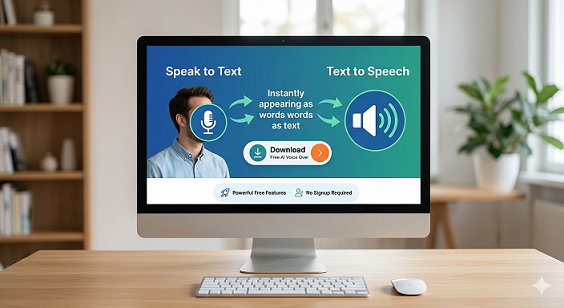
Speak to Text & Text to Speech – Free AI Voice Over Generator with Download (No Signup)
- Home
- Speak to Text & Text to Speech – Free AI Voice Over Generator with Download (No Signup)
AI Voice Tool
Speak to Text & Text to Speech – Powerful Free AI Voice Over Generator Features with Download (No Signup Required)
Introduction
Speak to Text & Text to Speech tools are becoming essential in the modern digital world where voice interaction, accessibility, and content automation are increasingly important. Whether you want to convert voice to text, generate speech from text, create voice narration, or download audio for voiceover projects, an advanced speech conversion tool can simplify your workflow.
This free online speak to text & text to speech tool allows users to convert speech to text, generate AI voice narration, and download voice files instantly. It works directly in your browser and requires no signup or account registration. With powerful voice recognition and speech synthesis technology, users can easily convert spoken words into written content or generate natural-sounding audio from text.
The tool also functions as a free AI voice over generator. Content creators, bloggers, digital marketers, educators, and developers can use it to produce voice narration for videos, presentations, podcasts, and online learning materials.
In this detailed guide, we will explain how voice-to-text and text-to-voice technology works, why it is important, and how you can use this tool as a voice over generator, voice typing tool, speech generator, and voice narrator generator.
What Is a Speak to Text & Text to Speech Tool?
A speak to text & text to speech tool is an online utility that converts spoken language into written text and transforms written content into spoken audio. These tools combine two powerful technologies: speech recognition and voice synthesis.
Speak to Text technology, also called speech to text, voice typing, or voice to text, allows users to dictate speech through a microphone and convert it into written text instantly.
Text to Speech, also known as text to voice, speech generator, or voice generator, converts written text into spoken audio using advanced voice synthesis algorithms.
By combining both features, this tool enables users to perform multiple tasks such as voice dictation, transcription, audio narration, voiceover creation, and accessibility support.
Why Speak to Text & Text to Speech Tools Matter
Voice technology is rapidly transforming digital communication. Instead of relying only on keyboards and reading screens, users can now interact with information through voice.
One major advantage is productivity. Many professionals find that speaking is faster than typing. With a voice typing tool or dictation tool, users can quickly create documents, notes, and content without manual typing.
Accessibility is another important reason why these tools are widely used. A text to speech converter helps visually impaired users listen to written content. Similarly, speech to text helps individuals who may have difficulty typing.
Businesses also rely on AI voice generator tools to create automated voice announcements, product narration, training materials, and customer support systems.
Use the Tool as a Free AI Voice Over Generator
This tool is not just a simple text converter. It can also work as a powerful AI voice over generator and voice narrator generator.
Content creators can convert scripts into voice narration instantly. Instead of recording audio manually, users can paste text into the text to speech voice generator and produce a natural sounding voiceover.
The generated voice can then be downloaded and used for:
- YouTube video narration
- Podcast audio creation
- Online course voice lessons
- Product explanation videos
- Marketing presentations
- Social media narration
- Audiobook voice narration
Because the tool allows users to generate voice and download audio files, it works as a convenient solution for quick voiceover production.
How the Speak to Text & Text to Speech Tool Works
The system uses speech processing technology to analyze and convert audio or text inputs.
For speech to text conversion, the tool captures audio through your microphone and processes it using speech recognition algorithms. The system analyzes phonetic patterns and converts spoken words into readable text.
For text to speech conversion, the tool processes written content and generates synthetic voice audio. The generated speech can be played instantly or saved as an audio file.
Users can also use the tool as a text to speech download MP3 generator, allowing them to save the generated voice for offline use.
Key Features of the Speak to Text & Text to Speech Tool
- Free online speak to text converter
- Free text to speech generator
- No signup required
- Instant speech to text transcription
- AI voice generator with natural audio
- Text to speech download MP3 option
- Generate voice and download audio
- Online voice generator for narration
- Voice typing tool for quick writing
- Speech recognition tool for dictation
- Voice maker online for content creators
- AI voice narrator generator
- Compatible with desktop and mobile browsers
- No installation required
Step-by-Step Guide to Using the Tool
- Open the Speak to Text & Text to Speech tool page.
- Select the feature you want to use.
- If using speech recognition, allow microphone access.
- Start speaking clearly into your microphone.
- The system will convert voice to text instantly.
- If using text to speech, paste your script into the text box.
- Click the generate voice button.
- Listen to the generated voice narration.
- Download the voice file if you want to save it.
Common Mistakes When Using Speech Tools
Although modern speech tools are highly accurate, some mistakes can affect performance.
Speaking too quickly or unclearly may reduce the accuracy of voice recognition. Clear pronunciation helps the speech recognition tool interpret words correctly.
Background noise can also impact transcription accuracy. For best results, use the tool in a quiet environment.
When using a text to speech voice generator, avoid pasting poorly formatted text. Proper punctuation and sentence structure improve voice quality.
Best Practices for Using Voice Conversion Tools
To get the best results from a voice generator or speech generator, follow these best practices:
- Speak clearly and naturally during voice dictation.
- Use punctuation when preparing text for voice narration.
- Break long paragraphs into smaller sections.
- Review transcripts before publishing them.
- Use a good quality microphone for better voice recognition.
Benefits of Using Voice and Speech Conversion Tools
Voice technologies offer numerous advantages for individuals and organizations.
First, they improve productivity by allowing users to create content faster through voice typing.
Second, they enhance accessibility by converting written content into audio for users who prefer listening.
Third, they simplify content production by turning scripts into voice narration automatically.
Fourth, they enable multitasking by allowing users to dictate notes while performing other activities.
Use Cases
Bloggers
Bloggers can use the voice typing tool to dictate article drafts and convert written posts into audio using the text to speech voice generator.
SEO Specialists
SEO professionals often document strategies and notes. A speech to text tool helps them capture ideas quickly.
Digital Marketing Agencies
Marketing agencies can generate voiceovers for ads, presentations, and product demos using the AI voice over generator.
Web Developers
Developers can test voice-enabled applications or integrate speech recognition features.
Ecommerce Store Owners
Ecommerce websites can convert product descriptions into audio narration to improve accessibility and user engagement.
Speak to Text vs Text to Speech vs Voice Over Generator
Speak to Text converts spoken language into written text.
Text to Speech converts written text into spoken audio.
Voice Over Generators create professional narration audio from scripts.
This tool combines all three features, making it a complete solution for voice interaction and audio content creation.
Technical Tips for Better Speech Recognition
To improve performance when using a speech recognition tool:
- Use a good quality microphone.
- Speak clearly and maintain a steady pace.
- Avoid strong background noise.
- Ensure your browser has microphone permissions enabled.
- Maintain a stable internet connection.
Frequently Asked Questions
What is speak to text technology?
Speak to text technology converts spoken language into written text using speech recognition algorithms. These systems analyze audio input from a microphone and identify words and sentence structures. Speak to text tools are widely used for dictation, transcription, voice commands, and meeting notes.
What is text to speech?
Text to speech is a technology that converts written content into synthetic voice audio. The system analyzes text and generates natural speech that can be played or downloaded as an audio file.
Is this tool free to use?
Yes, the speak to text & text to speech tool is completely free. Users can convert speech to text, generate voice from text, and download voice files without paying or creating an account.
Do I need to sign up to use the tool?
No signup is required. You can use the voice generator and speech recognition features directly in your browser.
Can I download the generated voice?
Yes. The tool allows users to download voice files generated by the text to speech engine.
Is this tool useful for voiceovers?
Yes. The tool works as a free AI voice over generator and can produce voice narration for videos, presentations, and podcasts.
Does the tool support voice typing?
Yes. The speech recognition feature works as a voice typing tool, allowing users to dictate text using a microphone.
Can content creators use this tool?
Yes. Bloggers, YouTubers, marketers, and educators often use voice generators to produce narration for digital content.
Does it work on mobile devices?
Yes. The tool works on smartphones, tablets, and desktop browsers.
Can I convert long text into speech?
Yes. The text to speech generator can process long text content and generate audio narration.
Conclusion
The Speak to Text & Text to Speech tool is a powerful online solution for converting voice and text effortlessly. By combining speech recognition, voice synthesis, and voiceover generation capabilities, the tool supports productivity, accessibility, and content creation.
With features such as voice to text conversion, AI voice generation, text to speech download MP3, and no signup required access, users can generate voice content quickly and efficiently.
Whether you need a voice typing tool, speech generator, or AI voice over generator, this online tool provides a simple and reliable solution for modern digital communication.
Related Tools
- AI Image Background Removal – Powerful Reasons Why You Should Stop Paying for Background Remover Tools
- All Email & Phone Extractor from any URL – Extract Contacts Easily
- All Email Extractor from Any URL – Free Online Tool
- Base64 & URL Encode/Decode Tool – Free Online Converter
- Check If URL Is Allowed in Google Search Results
- Disclaimer
- Domain Expiry Checker – Check Domain Expiration Date
- Domain Name Extractor in Paragraph, Text, URL | SEO Tool
- Free AI Image Background Removal Tool Online
- Free AI Text to Speech Tool
- Free Color Picker & Gradient Generator Tool Online
- Get Meta Data Information of Any Website Online
- Google Index Checker – Check Website Index Status
- Google Review Link Generator – Create Direct Review URLs
- Image Editor That Actually Works – Crop, Text, Filters & Stickers
- Image Resizer Tool – Resize Images Online for Free
- Interactive Anchor Text & Hyperlink Generator Tool
- JSON Formatter, Validator & Minifier Tool Online
- Keyword Difficulty Checker Pro Tool - Analyze & Improve SEO Rankings
- Keyword Rank Checker Tool - Track Your SEO Rankings Accurately
- Live Canonical Checker AI Tool – Check Canonical Tag in head
- Open Graph & Twitter Card Tags Checker Tool Online
- Page Score, HTML Tag & Scheme Analysis
- Photo Censor Tool | Pixelate Images Easily
- Privacy Policy
- Remove Line Breaks & Extra Spaces Tool Online
- Schema Markup Generator Shortcode - Full Version | SEO Tool
- Secure Password Generator Tool – Create Strong Passwords
- SEO Title & Meta Description Tester | SERP Preview Tool
- Snow Calculator Expectation – Snowfall Forecast Tool
- Speak to Text & Text to Speech – Free AI Voice Over Generator with Download (No Signup)
- Terms and Conditions
- Text Case Converter Tool – Change Uppercase & Lowercase
- Text Counter – Word, Character & Sentence Counter Tool
- URL Link Extractor & Hyperlink Counter Tool Online
- URL Shortener – Create Clean, Trackable Short Links
- Website Header Response Checker – HTTP Status Tool
- XML & HTML Sitemap Generator – Free Download Tool
- YouTube Video Details & Thumbnail Downloader Tool
Read Our Latest Insights
We help you see the world differently, discover opportunities you may never have imagined and achieve results that bridge what is with what can be.