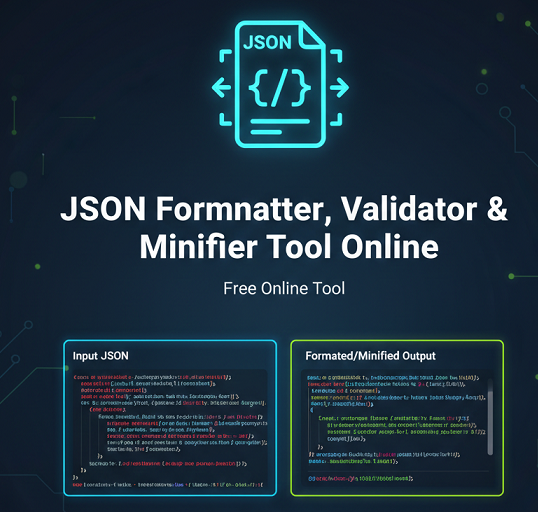
JSON Formatter, Validator & Minifier Tool Online
- Home
- JSON Formatter, Validator & Minifier Tool Online
JSON Formatter / Minifier + Validator (with File Upload)
Introduction
JSON (JavaScript Object Notation) is one of the most widely used data formats for APIs, web applications, and structured data. However, poorly formatted or invalid JSON can cause parsing errors, broken integrations, and debugging headaches. Our JSON Formatter, Minifier, and Validator tool helps you instantly clean, verify, and optimize JSON data directly in your browser.
Whether you are a developer testing API responses, an SEO professional reviewing structured data, or a marketer working with automation tools, this all-in-one JSON utility ensures your data is accurate and easy to manage.
What Is This Tool?
This online JSON tool allows you to format (beautify), validate, and minify JSON code in seconds. You can paste raw JSON directly into the editor or upload a JSON file from your device. The tool checks syntax accuracy, highlights structural issues, and provides a clean, readable output.
It is designed for developers, SEO experts, agencies, and anyone who works with JSON-based data formats.
How the Tool Works
The tool processes JSON data directly within your browser. When you paste or upload JSON:
- The validator checks for syntax errors such as missing brackets, incorrect commas, or invalid quotes.
- The formatter reorganizes the structure with proper indentation and spacing.
- The minifier removes unnecessary whitespace to reduce file size without altering data integrity.
All processing is done instantly, making it efficient and secure for routine use.
Key Features
- Instant JSON validation with error detection
- Pretty print and beautify JSON structure
- Minify JSON to reduce file size
- Upload and format JSON files
- Copy formatted or minified output with one click
- Works with large JSON datasets
- Clean and distraction-free interface
- No software installation required
Why Use This Tool?
Incorrect JSON formatting can break applications and APIs. A misplaced comma or missing bracket can cause serious functionality issues. This tool helps you identify problems quickly and ensures your data structure follows proper JSON standards.
Minification is equally important for performance. Reducing JSON file size improves loading times and optimizes API communication. By using this tool, you maintain clean, efficient, and reliable data.
Step-by-Step Usage Guide
- Paste your JSON code into the input field or upload a JSON file.
- Click the “Validate” button to check for syntax errors.
- If valid, choose “Format” to beautify the JSON.
- Select “Minify” to compress the JSON structure.
- Copy or download the processed output.
Benefits for SEO and Marketing
Structured data markup often uses JSON-LD format. Ensuring that your JSON-LD schema is valid is essential for search engine visibility. Invalid schema markup can prevent rich results from appearing in search listings.
This tool allows SEO professionals to verify structured data accuracy before publishing pages. It also helps digital marketers working with analytics, tag managers, and automation systems that rely on JSON configurations.
Use Cases
Bloggers
Validate structured data schema before publishing blog posts.
SEO Experts
Ensure JSON-LD markup complies with search engine guidelines.
Agencies
Quickly test client API responses and configuration files.
Developers
Debug API outputs and improve application performance with minified JSON.
FAQ
What is a JSON formatter?
A JSON formatter reorganizes JSON data with proper indentation and spacing to make it easier to read and debug.
How do I validate JSON?
Paste or upload your JSON into the tool and click validate. It will check for syntax errors and structural issues.
Why is my JSON invalid?
Common causes include missing commas, mismatched brackets, improper quotes, or incorrect nesting of objects and arrays.
Is JSON minification safe?
Yes, minification only removes whitespace and formatting characters without changing the actual data structure.
Conclusion
Clean and valid JSON is essential for modern web development and SEO performance. Our JSON Formatter, Minifier, and Validator tool provides a reliable way to structure, verify, and optimize JSON data quickly. Whether you are debugging APIs or preparing structured data for search engines, this tool simplifies the process and ensures accuracy.
Related Tools
- AI Image Background Removal – Powerful Reasons Why You Should Stop Paying for Background Remover Tools
- All Email & Phone Extractor from any URL – Extract Contacts Easily
- All Email Extractor from Any URL – Free Online Tool
- Base64 & URL Encode/Decode Tool – Free Online Converter
- Check If URL Is Allowed in Google Search Results
- Disclaimer
- Domain Expiry Checker – Check Domain Expiration Date
- Domain Name Extractor in Paragraph, Text, URL | SEO Tool
- Free AI Image Background Removal Tool Online
- Free AI Text to Speech Tool
- Free Color Picker & Gradient Generator Tool Online
- Get Meta Data Information of Any Website Online
- Google Index Checker – Check Website Index Status
- Google Review Link Generator – Create Direct Review URLs
- Image Editor That Actually Works – Crop, Text, Filters & Stickers
- Image Resizer Tool – Resize Images Online for Free
- Interactive Anchor Text & Hyperlink Generator Tool
- JSON Formatter, Validator & Minifier Tool Online
- Keyword Difficulty Checker Pro Tool - Analyze & Improve SEO Rankings
- Keyword Rank Checker Tool - Track Your SEO Rankings Accurately
- Live Canonical Checker AI Tool – Check Canonical Tag in head
- Open Graph & Twitter Card Tags Checker Tool Online
- Page Score, HTML Tag & Scheme Analysis
- Photo Censor Tool | Pixelate Images Easily
- Privacy Policy
- Remove Line Breaks & Extra Spaces Tool Online
- Schema Markup Generator Shortcode - Full Version | SEO Tool
- Secure Password Generator Tool – Create Strong Passwords
- SEO Title & Meta Description Tester | SERP Preview Tool
- Snow Calculator Expectation – Snowfall Forecast Tool
- Speak to Text & Text to Speech – Free AI Voice Over Generator with Download (No Signup)
- Terms and Conditions
- Text Case Converter Tool – Change Uppercase & Lowercase
- Text Counter – Word, Character & Sentence Counter Tool
- URL Link Extractor & Hyperlink Counter Tool Online
- URL Shortener – Create Clean, Trackable Short Links
- Website Header Response Checker – HTTP Status Tool
- XML & HTML Sitemap Generator – Free Download Tool
- YouTube Video Details & Thumbnail Downloader Tool
Read Our Latest Insights
We help you see the world differently, discover opportunities you may never have imagined and achieve results that bridge what is with what can be.