Open Graph & Twitter Card Tags Checker Tool Online
- Home
- Open Graph & Twitter Card Tags Checker Tool Online
Paste any URL to see Open Graph & Twitter Card meta tags:
Open Graph & Twitter Card Tags Checker for in website for Any URL
Introduction
When someone shares your website link on Facebook, LinkedIn, or Twitter (X), the platform automatically generates a preview. This preview is based on special metadata called Open Graph and Twitter Card tags. If these tags are missing, incorrect, or poorly configured, your link preview may look unprofessional or incomplete.
The Open Graph & Twitter Card Tags Checker helps you analyze and validate these tags for any URL. Whether you are a blogger, SEO professional, marketer, or developer, this tool ensures your social previews appear accurate, engaging, and optimized.
What Is This Tool?
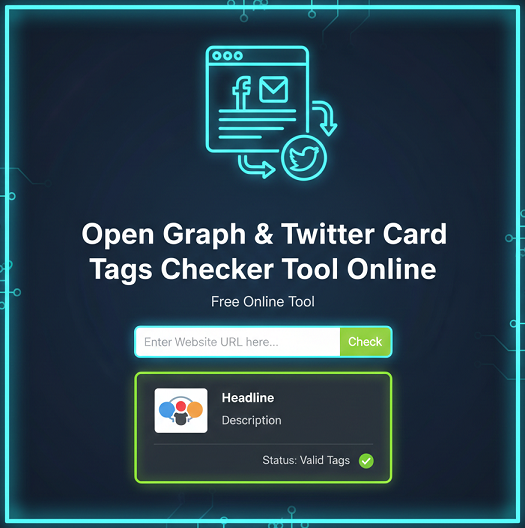
This tool is an online metadata analyzer that scans a webpage and extracts its Open Graph and Twitter Card meta tags. It displays key properties such as og:title, og:description, og:image, twitter:card, and more.
By using this checker, you can confirm whether your social sharing metadata is correctly implemented and aligned with your branding and SEO strategy.
How the Tool Works
The tool fetches the HTML source code of the provided URL and scans it for Open Graph and Twitter Card meta tags. It then extracts and displays these properties in a structured format for easy analysis.
If tags are missing or incorrectly formatted, the tool highlights the issue so you can correct it within your website’s HTML or SEO plugin settings.
Key Features
- Instant Open Graph tag detection
- Twitter Card metadata validation
- Preview of title, description, and image
- Support for any public URL
- Detection of missing or duplicate tags
- Clean and easy-to-read results
- No login required
- Works for blogs, eCommerce sites, and landing pages
Why Use This Tool?
Social media previews significantly influence click-through rates. If your preview displays the wrong image or outdated description, users may ignore your link. This tool allows you to verify everything before promoting your content.
It also helps identify technical issues such as incorrect image dimensions, missing twitter:card type, or improperly formatted meta properties.
Step-by-Step Usage Guide
- Copy the full URL of the webpage you want to analyze.
- Paste the URL into the input field.
- Click the “Check Tags” button.
- Wait a few seconds while the tool scans the page.
- Review the extracted Open Graph and Twitter Card data.
- Fix any missing or incorrect tags in your website backend.
- Re-test the URL to confirm updates.
Benefits for SEO and Marketing
Optimized social meta tags improve engagement and brand presentation. Although Open Graph tags are not direct ranking factors, they contribute to higher visibility and better click-through rates on social platforms.
Marketing teams can use this tool to ensure campaign landing pages display consistent messaging. SEO professionals can verify that metadata aligns with search snippets and structured data.
Use Cases
Bloggers
Ensure blog posts display the correct featured image and compelling description.
SEO Experts
Audit client websites for missing or incorrect social meta tags.
Agencies
Validate social previews before launching marketing campaigns.
Developers
Debug Open Graph implementation during website development.
Frequently Asked Questions
1. What are Open Graph tags?
Open Graph tags are meta properties that control how a webpage appears when shared on social media platforms.
2. What is a Twitter Card?
A Twitter Card is metadata that allows Twitter (X) to display rich previews with images, titles, and descriptions.
3. Why is my Open Graph image not showing?
This may happen due to incorrect image size, caching issues, or missing og:image tags.
4. Can I check any website URL?
Yes, as long as the website is publicly accessible.
5. Is this tool free to use?
Yes, the tool is completely free and requires no registration.
6. Do Open Graph tags affect SEO rankings?
They are not direct ranking factors but improve social engagement and traffic.
7. What image size is recommended for og:image?
1200x630 pixels is generally recommended for optimal display.
8. How do I fix missing tags?
You can add them manually in your HTML or configure them using an SEO plugin.
9. Does this tool show duplicate tags?
Yes, it highlights duplicate or conflicting meta properties.
10. How often should I test my pages?
Test whenever you update content, images, or metadata.
Related Tools
- AI Image Background Removal – Powerful Reasons Why You Should Stop Paying for Background Remover Tools
- All Email & Phone Extractor from any URL – Extract Contacts Easily
- All Email Extractor from Any URL – Free Online Tool
- Base64 & URL Encode/Decode Tool – Free Online Converter
- Check If URL Is Allowed in Google Search Results
- Disclaimer
- Domain Expiry Checker – Check Domain Expiration Date
- Domain Name Extractor in Paragraph, Text, URL | SEO Tool
- Free AI Image Background Removal Tool Online
- Free AI Text to Speech Tool
- Free Color Picker & Gradient Generator Tool Online
- Get Meta Data Information of Any Website Online
- Google Index Checker – Check Website Index Status
- Google Review Link Generator – Create Direct Review URLs
- Image Editor That Actually Works – Crop, Text, Filters & Stickers
- Image Resizer Tool – Resize Images Online for Free
- Interactive Anchor Text & Hyperlink Generator Tool
- JSON Formatter, Validator & Minifier Tool Online
- Keyword Difficulty Checker Pro Tool - Analyze & Improve SEO Rankings
- Keyword Rank Checker Tool - Track Your SEO Rankings Accurately
- Live Canonical Checker AI Tool – Check Canonical Tag in head
- Open Graph & Twitter Card Tags Checker Tool Online
- Page Score, HTML Tag & Scheme Analysis
- Photo Censor Tool | Pixelate Images Easily
- Privacy Policy
- Remove Line Breaks & Extra Spaces Tool Online
- Schema Markup Generator Shortcode - Full Version | SEO Tool
- Secure Password Generator Tool – Create Strong Passwords
- SEO Title & Meta Description Tester | SERP Preview Tool
- Snow Calculator Expectation – Snowfall Forecast Tool
- Speak to Text & Text to Speech – Free AI Voice Over Generator with Download (No Signup)
- Terms and Conditions
- Text Case Converter Tool – Change Uppercase & Lowercase
- Text Counter – Word, Character & Sentence Counter Tool
- URL Link Extractor & Hyperlink Counter Tool Online
- URL Shortener – Create Clean, Trackable Short Links
- Website Header Response Checker – HTTP Status Tool
- XML & HTML Sitemap Generator – Free Download Tool
- YouTube Video Details & Thumbnail Downloader Tool
Read Our Latest Insights
We help you see the world differently, discover opportunities you may never have imagined and achieve results that bridge what is with what can be.